Margin Optimization
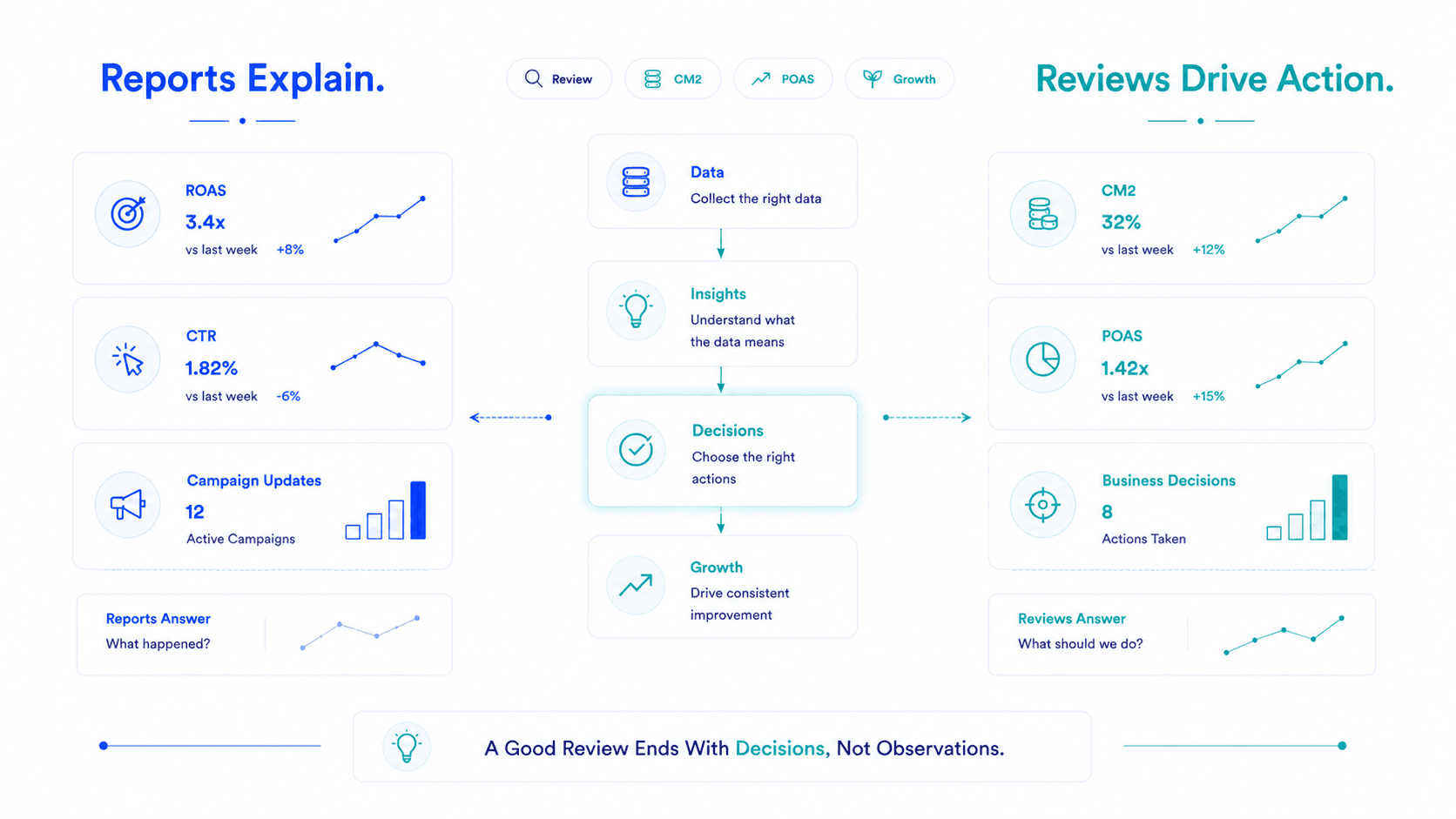
Most D2C performance reviews follow the same pattern: The agency shares their screen. They walk through last week's ROAS. The campaigns that went up get a green arrow. The campaigns that went down get an explanation. Everyone nods. The call ends. Nothing changes.
45 Mins
Strict agenda blocks
CM2 & POAS
Not platform ROAS
3 – 5 Actions
With owner & deadline
That is not a performance review. That is a ROAS presentation.
A performance review that actually changes how budget is spent — where campaigns get scaled, restructured, or killed based on real evidence — looks completely different. It starts with different data, asks different questions, and ends with specific decisions, not observations.
This is that review, structured as an agenda you can use this week.
A review that ends without decisions is a review that wasn't worth having. Observations without decisions are just narration.
Three structural failures show up in almost every D2C agency or internal team review:
The agenda below fixes all three.
The meeting fails if it starts with data-pulling. Whoever runs the review — founder, CMO, or agency lead — prepares these numbers before the call:
From Flable AI or your performance dashboard:
From Meta Ads Manager:
From Shopify:
MER (calculated):
Shopify net revenue ÷ Total marketing spend (this week vs last week)
5 minutes of prep. Prevents 30 minutes of mid-call data scrambling.
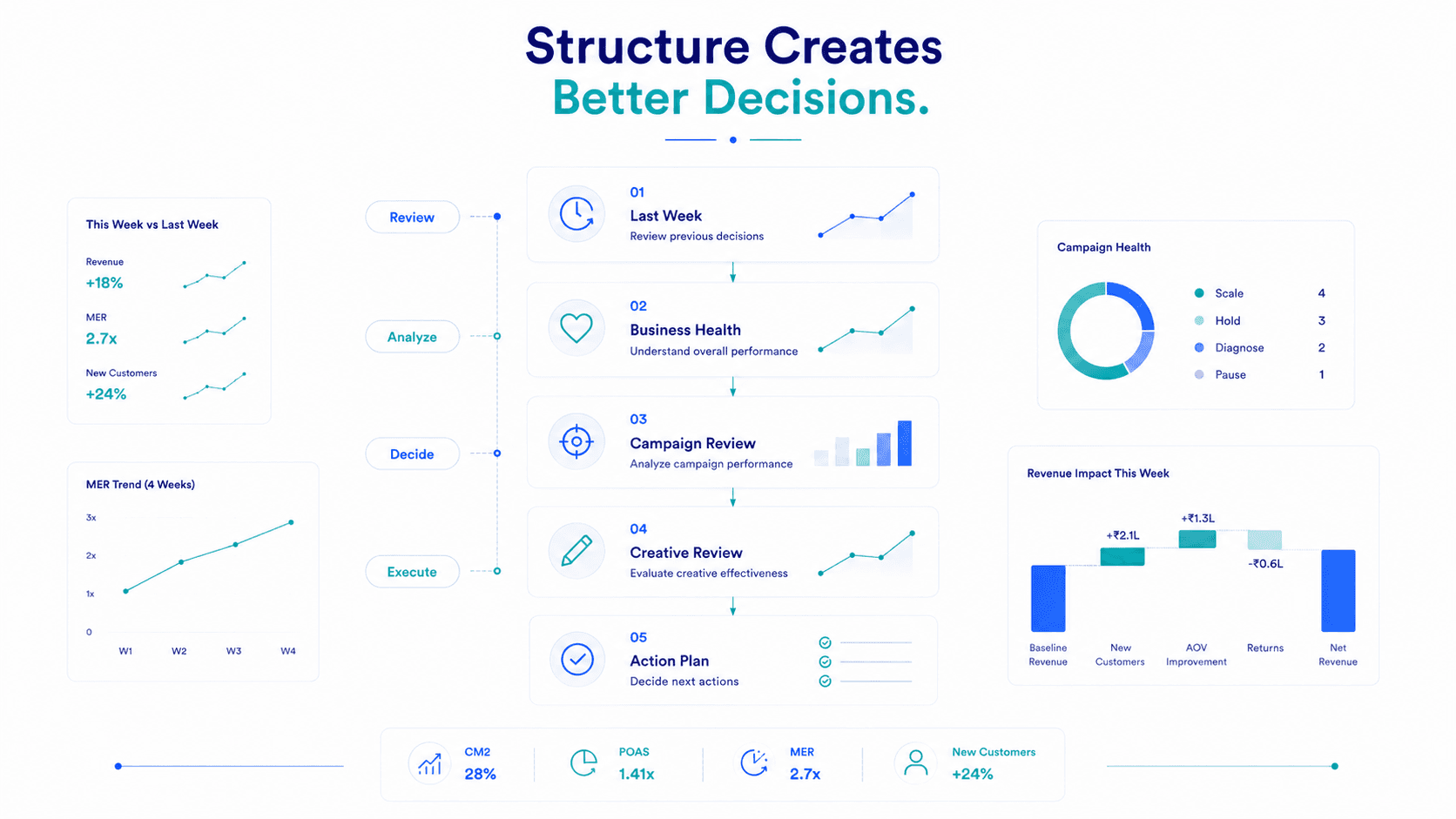
The first five minutes belong to accountability, not new data.
Pull up last week's decision log. For each decision made last week:
This takes five minutes. It ensures your review is a learning system, not a weekly reset. Over time, reviewing last week's decisions is where the most useful strategic pattern recognition happens.
If no decisions were made last week — that's the first thing to address. A review that ends without decisions is a review that wasn't worth having.
Not campaign-level. Business-level. Three numbers only:
If all three are healthy — proceed. If any are deteriorating — the rest of the review focuses on diagnosing why.
This is the core of the review. Go through every active campaign with spend above ₹10,000 in the week.
For each campaign, answer three questions:
CM2 / POAS Decision Matrix:
| CM2 / POAS Status | Decision |
|---|---|
| CM2 above target, POAS above 1.3x | Scale — increase budget 20–25% |
| CM2 at target, POAS 1.1–1.3x | Hold — optimise before scaling |
| CM2 below target, POAS 1.0–1.1x | Diagnose — identify specific cause before next week |
| CM2 negative, POAS below 1.0x | Kill or pause within 48 hours |
The output of this block: a clear status for every campaign. Scale / Hold / Diagnose / Kill. Written down, not just discussed.
Creative is the biggest lever in D2C Meta performance. Dedicate real time to it every week.
Every review ends with a concrete, written plan. Not a list of observations — a list of actions with owners and deadlines.
| Action | Campaign | Owner | Deadline |
|---|---|---|---|
| Scale budget 20% | Campaign A | [Name] | Monday |
| Pause and diagnose high return rate | Campaign D | [Name] | Tuesday |
| Launch 3 new creative assets | All prospecting campaigns | [Creative team] | Wednesday |
| Check CAPI firing in Events Manager | — | [Tech/ops] | Thursday |
Aim for 3–5 specific actions per week. More than 5 usually means decisions are being fragmented — consolidate.
Once a month (not every week), use the last five minutes for one structural question about the business model — not campaign tactics:
These questions don't get answered in five minutes. But they get raised and answered over the following weeks with data, not intuition.
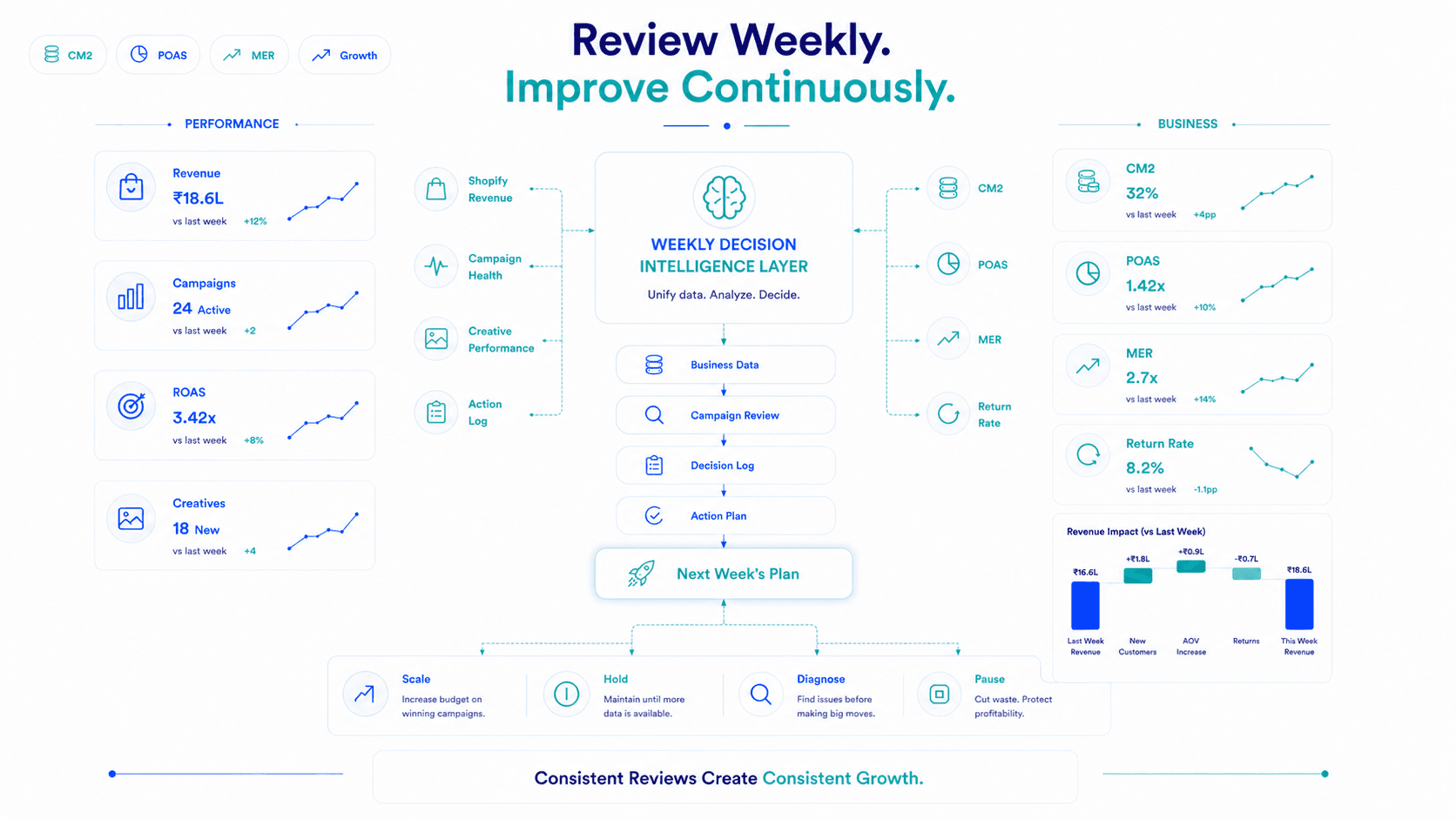
Every decision made in the review gets written down in a shared decision log.
Not in an email. Not in Slack. In a running document that everyone in the review can see, updated each week.
Shared Decision Log Template:
| Date | Decision | Rationale | Outcome (filled next week) |
|---|---|---|---|
| July 14 | Scale Campaign A by 20% | CM2 at 31%, POAS 1.45x, return rate stable | Reviewed July 21 |
| July 14 | Pause Campaign C | POAS 0.83x for 3 consecutive weeks, no improvement | Reviewed July 21 |
Over 3 months, this log becomes your performance marketing institutional knowledge. You stop relitigating past decisions because you know exactly why they were made and what happened. Your review becomes more efficient every week because the team is operating from a shared understanding of what the evidence says.
A good weekly performance review is not a reporting exercise. It's a decision-making system.
Data reviewed → Decisions made → Actions taken → Outcomes measured → Repeat.
The difference between a review that improves performance week-over-week and one that just tracks it is whether you walk out with something to do and whether you hold yourself accountable for what you decided last time.
That accountability is the compound interest of performance marketing.
Key Takeaways
Frequently Asked Questions
45 minutes if well-prepared. 90 minutes if data isn't ready before the call. The investment in preparing data (15–20 minutes) before the meeting saves 45 minutes of in-meeting data-pulling and keeps the conversation on decisions rather than numbers.
Use CM2 and POAS as your primary profitability metrics for scaling and killing decisions. Use platform ROAS for in-platform diagnostics (creative comparison, delivery health, Learning Phase status). ROAS should never be the primary metric for business decisions in the weekly review.
Anchor every review to Shopify net revenue (not platform-attributed revenue) and to CM2/POAS (not ROAS). Share your MER calculation. Require agencies to bring campaign-level POAS, not just ROAS. And review last week's decisions at the start of every call holding the agency to outcomes, not just activity.
Do not make significant changes to campaigns in Learning Phase. Note their status, confirm how many days they've been running, and check whether they're on track to accumulate 50 purchase events within 7 days. If a campaign has been in Learning Phase for more than 10 days without exiting investigate budget level and conversion volume, not creative or targeting.
Flable provides the CM2, POAS, return rate, and MER data that should drive every decision in the review calculated automatically from ad spend, Shopify revenue, and returns data. Instead of spending 20 minutes pulling and calculating numbers, you walk into the review with every metric already live on your dashboard.
Live dashboard. No pre-meeting data prep. Decisions in 45 minutes.
Book a Live Demo →Setup in 48 hours · No credit card required · Backed by Microsoft & NVIDIA