Channel Strategy
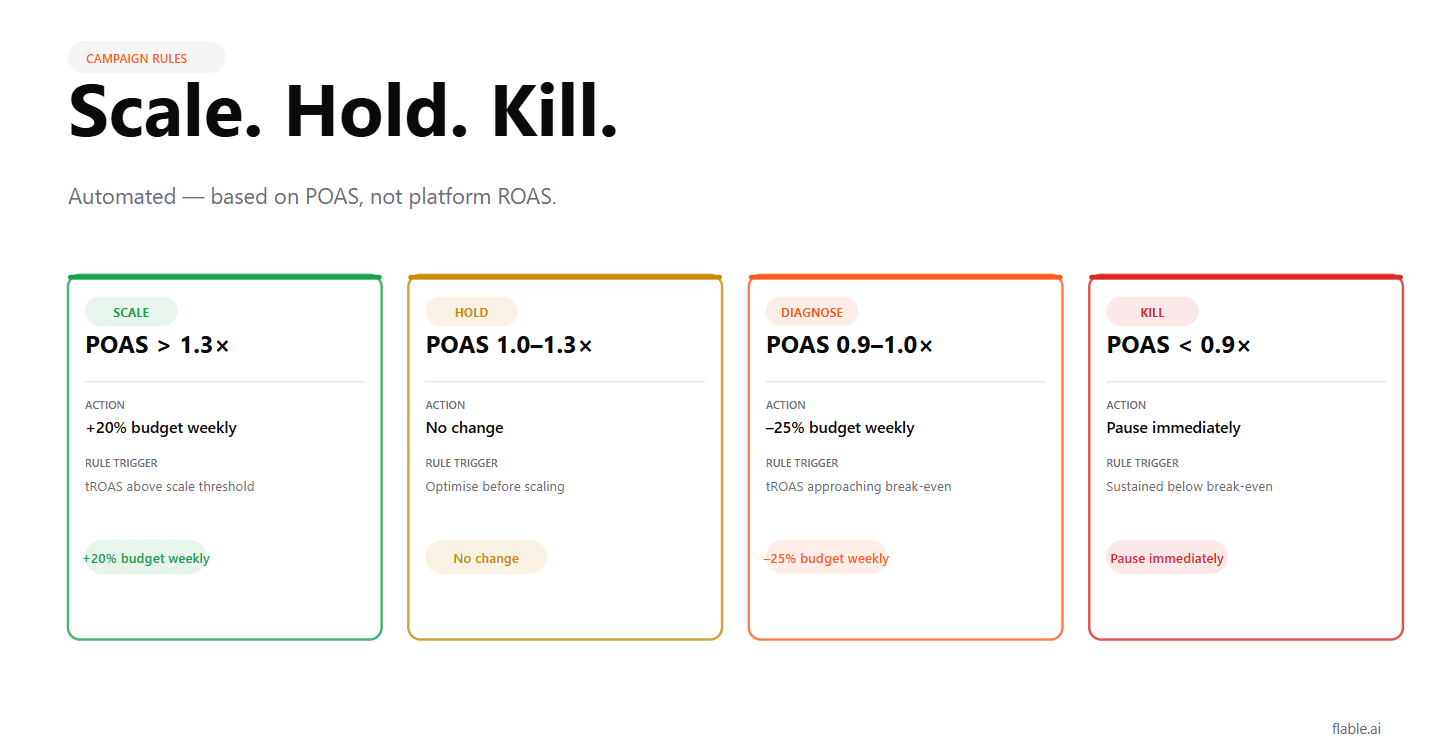
The pillar blog says it clearly: the weekly Layer 2 decision for every campaign is Scale / Hold / Kill based on CM2 and POAS, not ROAS.
What the pillar doesn’t cover is how to make those decisions faster, more consistent, and less dependent on someone remembering to check the dashboard every Monday.
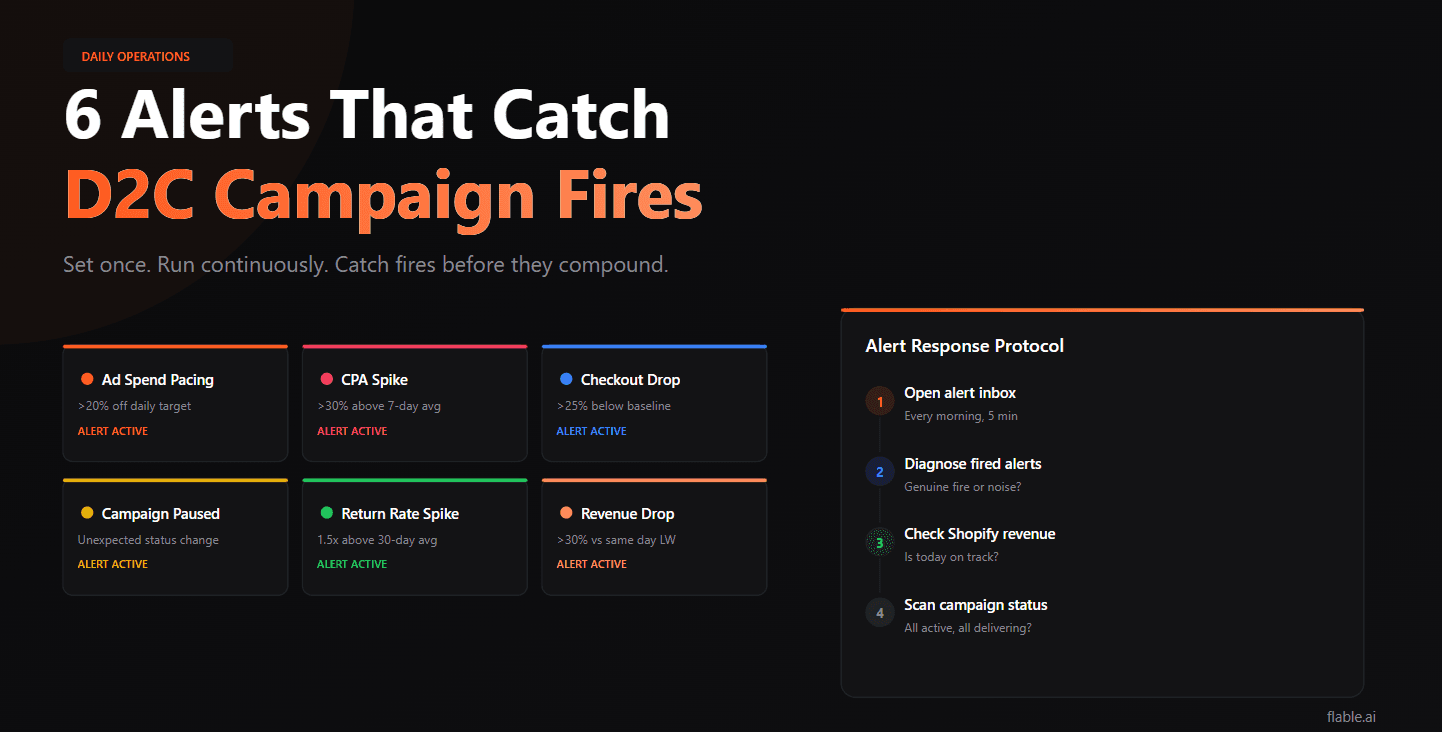
Automated campaign rules, set up inside Meta Ads Manager and Google Ads, let you codify your Scale/Hold/Kill logic into rules that run continuously. The right campaigns get scaled. The wrong ones get flagged or paused. Without waiting for a weekly review to catch what the algorithm is quietly doing to your budget.
Here’s exactly how to build them.
Your weekly review runs on Monday. A campaign’s POAS dropped below 1.0 on Tuesday last week. By the time Monday arrives, that campaign has spent 6 days below break-even.
Automated rules solve the lag problem. They check performance continuously and act, or alert the moment a threshold is crossed, regardless of where you are in the review cycle.
Automated rules in Meta and Google work on platform metrics (ROAS, CPA, spend), not on your real POAS, which requires COGS and returns data the platforms don’t have.
The workaround: translate your POAS thresholds into equivalent platform CPA or ROAS thresholds, and use those as your rule triggers.
Step 1
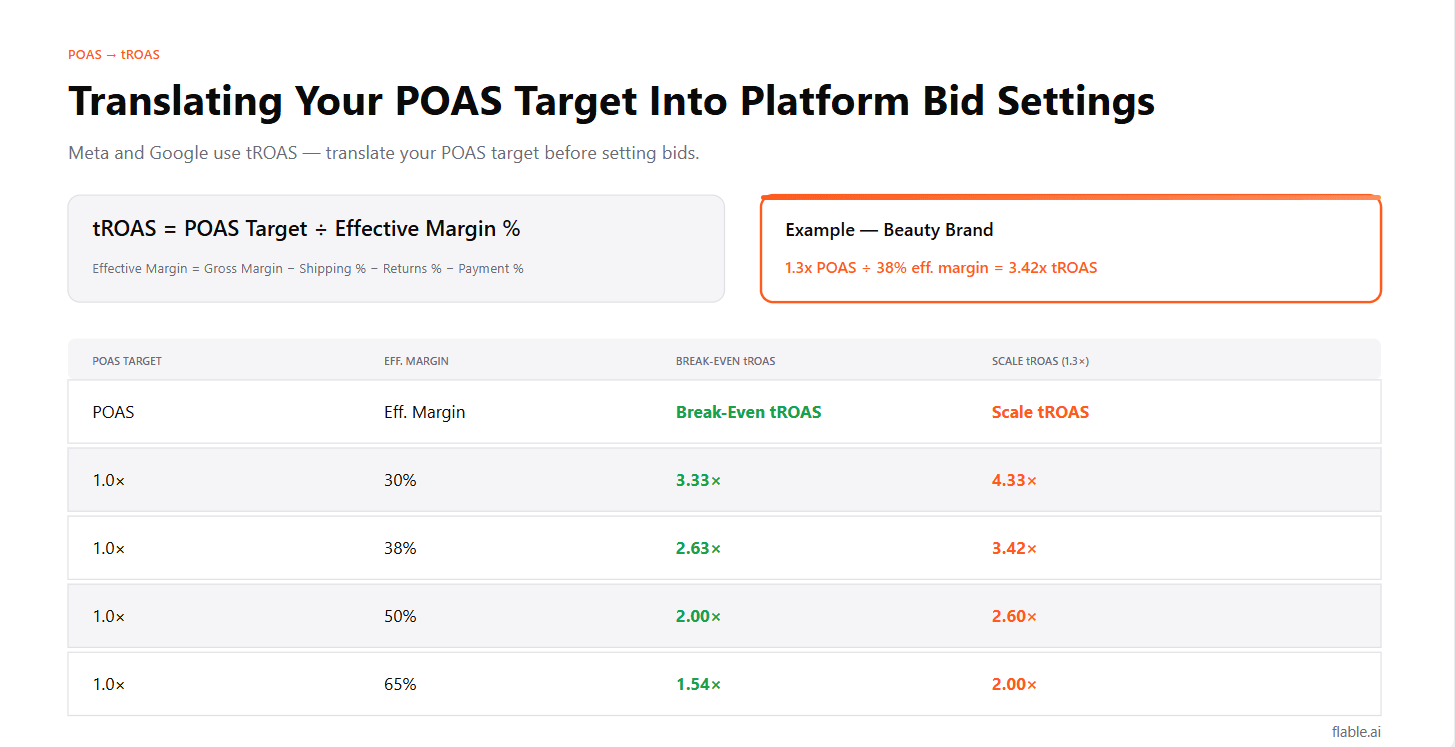
POAS break-even → tROAS equivalent
tROAS = POAS Target ÷ Effective Margin %
Example for a beauty brand (effective margin 38%)
Any campaign running below 2.63x ROAS (sustained) is effectively operating below POAS break-even. Recalculate these thresholds whenever your return rate, COGS, or shipping costs change significantly.
Now you have three platform ROAS levels:
Flag / pause
Below POAS break-even
Hold
Don’t scale, don’t kill yet
Scale
Above POAS scale threshold
Ads Manager → Automations → Create Rule
Rule 1: Flag Below-Break-Even Campaigns (Notify Only)
Do NOT auto-pause on this rule. Always investigate before pausing, a campaign below ROAS threshold might be in Learning Phase (normal), recovering from a weekend dip (normal), or genuinely losing money (action required). The notification gives you the flag; you make the call.
Rule 2: Auto-Reduce Budget on Sustained Low Performance
This rule creates a natural budget reduction for underperformers without fully pausing, giving them time to recover while limiting waste.
Rule 3: Scale High-POAS Campaigns
The ₹10 filter screens out tiny campaigns. The 20% cap prevents over-scaling, large single budget jumps can destabilise Learning Phase even for established campaigns. 20% weekly scaling lets you compound safely.
Rule 4: Pause High-Frequency Creative
This catches creative fatigue before it destroys the campaign’s POAS. The dual condition (high frequency AND declining CTR) reduces false positives, frequency alone isn’t always a problem, but frequency + declining CTR is a reliable fatigue signal.
Campaigns → Rules → Create Rule
Rule 1: Flag Campaigns Below ROAS Target
Rule 2: Reduce Budget on Sustained Low ROAS
Rule 3: Scale Strong ROAS Campaigns
The 20-conversion minimum prevents scaling a campaign that had 2 conversions at great ROAS, statistical noise, not a real signal.
Rule 4: Pause Campaigns With No Conversions
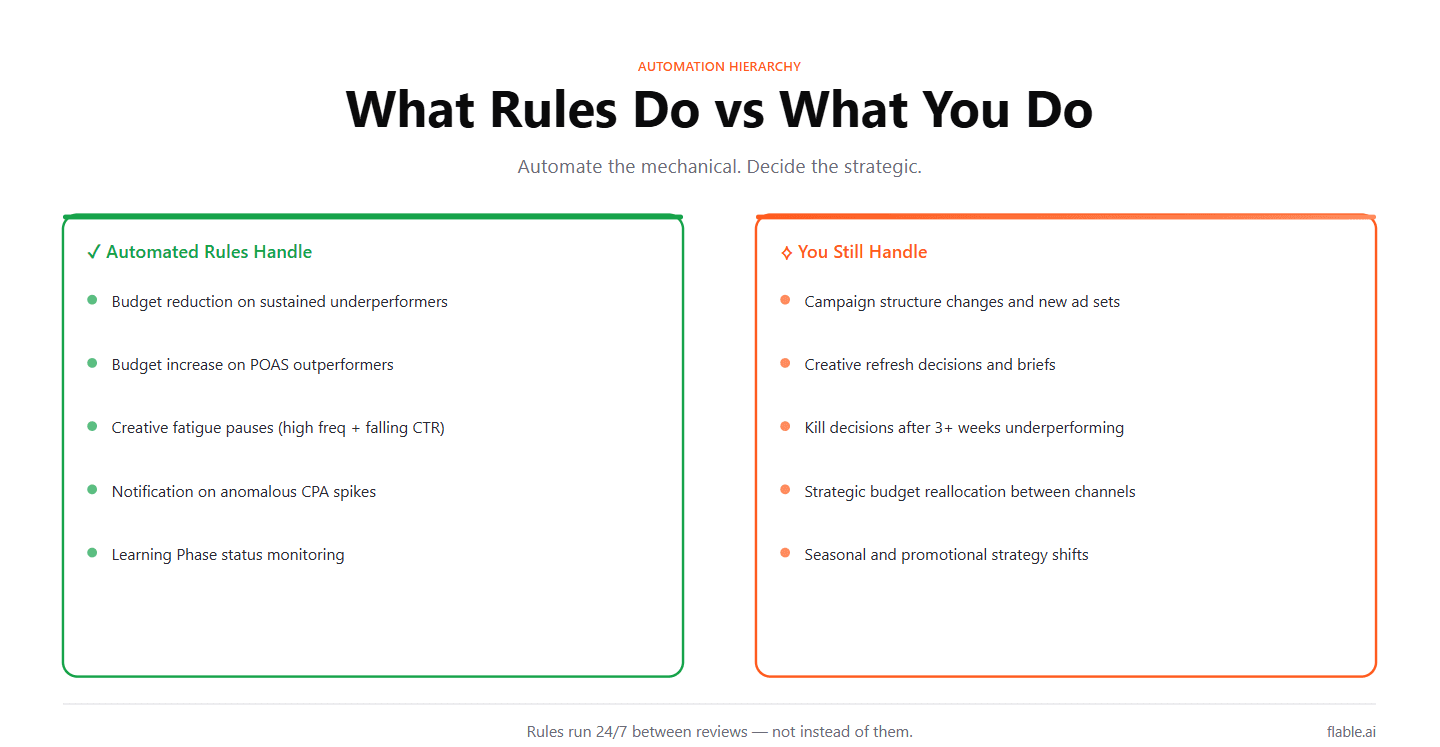
Automated rules should handle
You should still handle
The rule of thumb: automate the mechanical. Decide the strategic.
Mistake 1
1-day ROAS is too volatile, daily fluctuations will trigger rules constantly. Use 7-day or 14-day windows for any rule that takes action.
Mistake 2
Learning Phase campaigns naturally show below-target ROAS for the first 7 days. Auto-pausing during Learning Phase resets the clock and compounds the problem. Always exclude campaigns active fewer than 7 days from action-taking rules.
Mistake 3
A 50% budget increase on a single campaign can disrupt Learning Phase and destabilise performance. Scale in 15–20% increments, maximum once per week.
Mistake 4
If you run a 25% off sale, your break-even tROAS changes immediately. Old automation rules based on normal-price thresholds will scale loss-making promotional campaigns. Recalculate and update thresholds before every promotional period.
Platform automation rules work on platform metrics, ROAS, CPA, spend. They can approximate your POAS thresholds through the tROAS conversion above, but they can’t see your actual returns data or COGS.
A campaign might show 3.5x ROAS (above your break-even threshold, triggering an auto-scale rule) while its real POAS is 0.85x because of a 22% return rate the platform doesn’t see.
The solution: Weekly manual POAS review as a checkpoint on top of automated rules.
Automated rules handle the daily mechanics, flagging, budget adjustments, creative pauses. Your weekly Layer 2 review (as outlined in the pillar blog) catches the cases where platform metrics and real POAS diverge.
Automated rules
Continuous flags, trims and scales on platform metrics.
Weekly POAS review
Real profitability judgment on return- and COGS-adjusted data.
Together: the most efficient campaign management system available to a D2C team.
Automated campaign rules translate your Scale/Hold/Kill framework from a weekly manual process into a continuous system. Budget compounds toward what’s working. Waste gets reduced before the next review. Creative fatigue gets caught before it destroys performance.
Build the rules. Set conservative thresholds. Check the automated actions weekly to ensure they’re firing correctly. And keep the weekly POAS review, automation handles the mechanical, but real profitability judgment still requires the human in the loop.
Rules handle the mechanics. Reviews handle the strategy. Both belong in your system.
Not directly, Meta's rules work on platform metrics (ROAS, CPA, spend). Translate your POAS target into a tROAS equivalent (POAS Target ÷ Effective Margin %) and use that as your platform metric threshold. Weekly POAS review catches cases where platform ROAS and real POAS diverge due to return rates.
Weekly for budget changes (more frequent changes destabilise Learning Phase). Daily for notifications and creative pause rules. Never more than 20% budget change in a single automated action.
Yes. Any rule that reduces budget or pauses campaigns should exclude campaigns active fewer than 7 days or with fewer than 50 purchase events. Learning Phase campaigns show volatile, unrepresentative performance, acting on it reinforces the problem.
Flable shows real POAS per campaign (return-adjusted, COGS-adjusted), the number that platform automation rules can only approximate. Use Flable's POAS data in your weekly review to override or validate what the automated rules have done based on platform metrics.
Flable AI shows return-adjusted, COGS-adjusted POAS per campaign, so your weekly review can validate or override what platform rules did.